

Real penalty Admin
If you are organizing an event on WorldSimSeries with Real penalty enabled - it enables some extra features for you as Race Steward. In this guide will shortly present how to use them.
How to prepare
Section titled “How to prepare”-
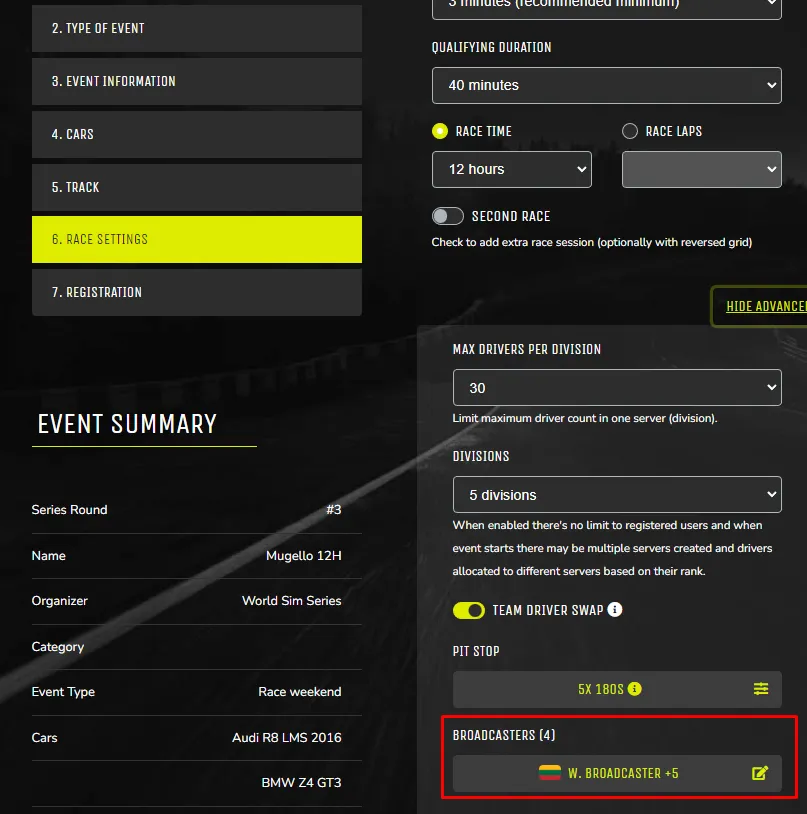
You must add users that will be stewarding race as ‘Broadcasters’ in event edit page > Race Settings > Broadcasters
-
-
As a broadcaster you must Check-In to the race before it starts
-
You need to have working a Real penalty app (same as when racing)
-
Organizer needs to share server password with race stewards (used to login to Real penalty Admin app) from event edit page > Race settings > Server password
Live race stewarding
Section titled “Live race stewarding”-
When race starts, you need to connect to the server as broadcaster.
-
Once in the server click drive and just stay in the pits
-
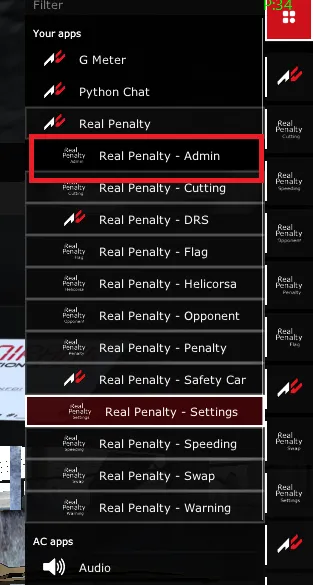
Open ‘Real penalty - Admin’ app
-
-
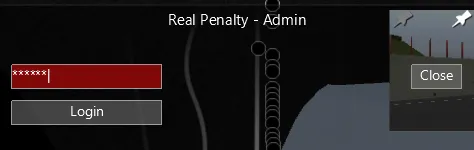
Login with server password
-
-
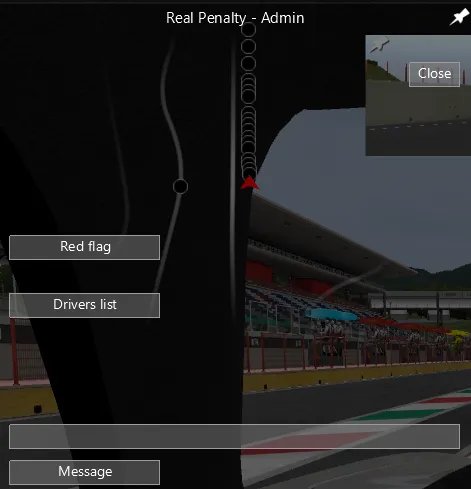
Once logged in you will have multiple options in Real penalty Admin app, see next sections.
-
Driver penalties
Section titled “Driver penalties”To give driver penalties (Drive-through, Stop-N-Go, DSQ, Message/Warning):
- Click ‘Drivers list’ button
- Select driver to send penalty
- In the chat box enter:
-
dt - to give drive through
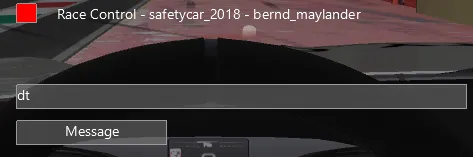
-
sg30 - to give stop n go with specified stop seconds
-
dsq - to disqualify driver from the race. WARNING - this cannot be reverted during the race, please double check sending it!
-
anything else will be sent as a message

-